Extract the print from the photo, piece by piece.
Upload the photo, screenshot or AI mockup the client sent. StampLab reads the image, numbers each logo, text, figure, sleeve and the background of each side, and shows the cost before it starts. You pick the pieces, and each one comes back as its own image, background removed, ready to assemble or edit.
Updated on
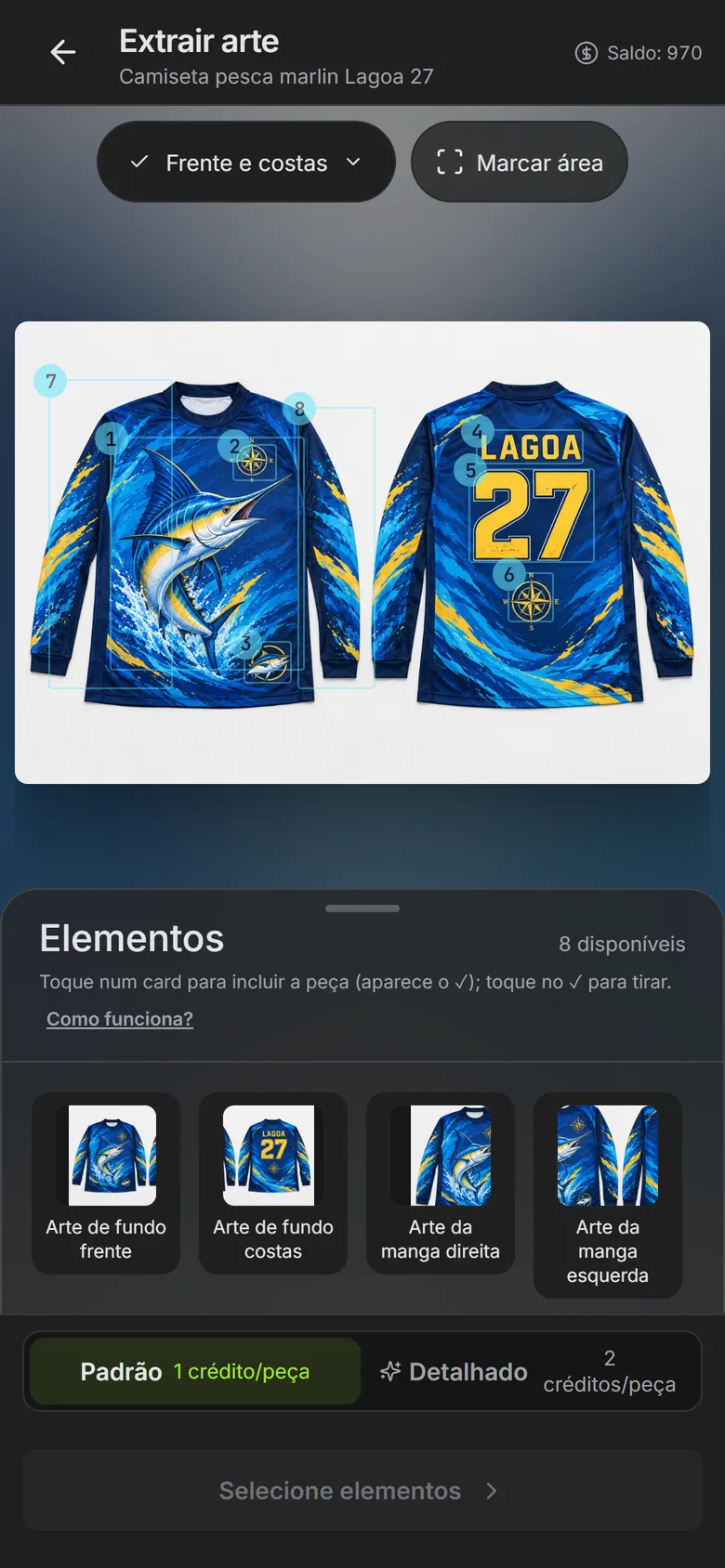
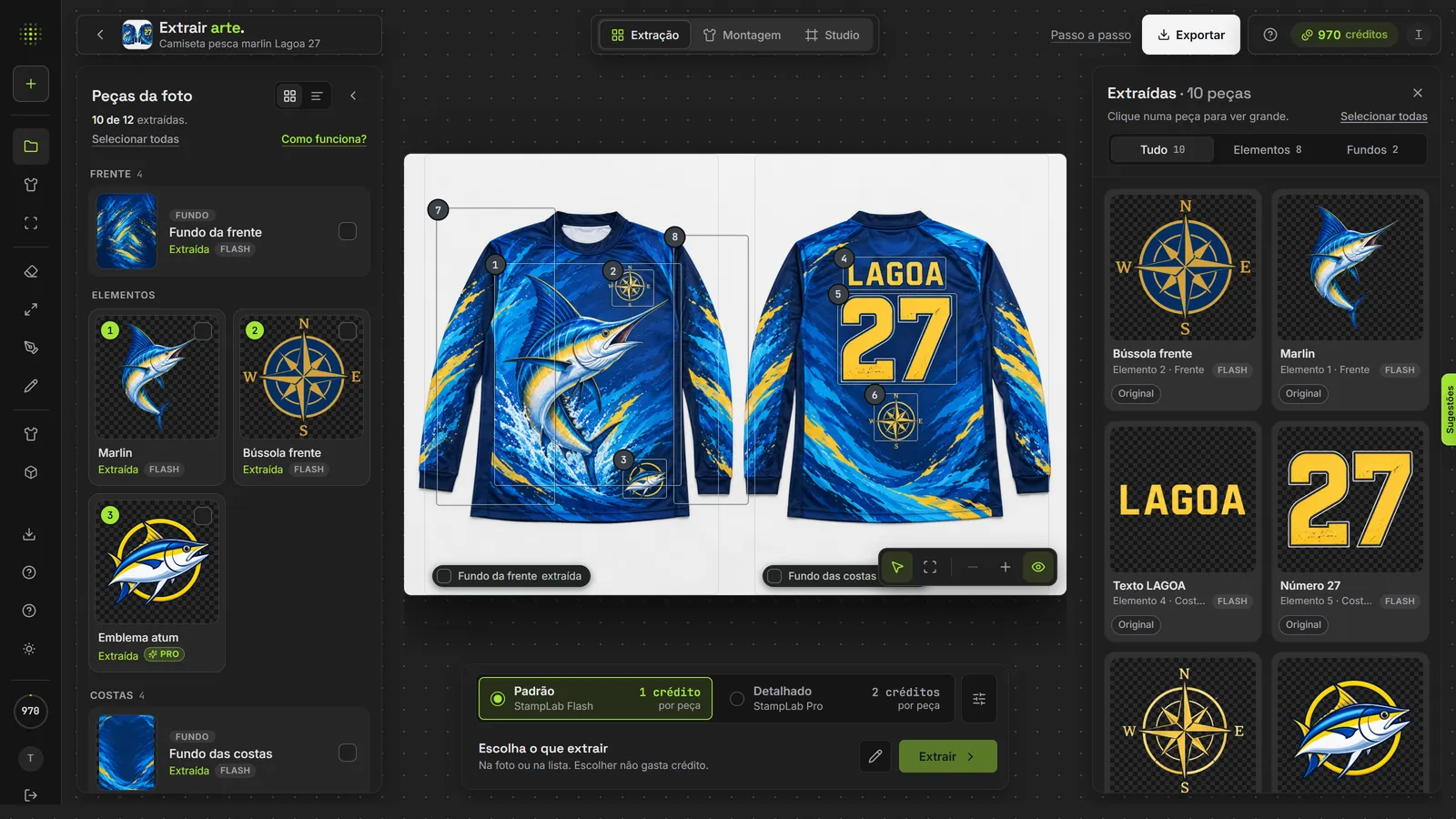
The photo marked up, the pieces beside it.
Each element gets a number on the photo and a card in the list. Selecting and unselecting costs no credits. When the reading misses something, you draw the area by hand.
How much does it cost to extract a print from a photo?
The total shows before you confirm. A T-shirt with 7 pieces costs 7 credits in Standard or 14 credits in Detailed.
Standard
Handles most artwork. Elements come out without a background at no extra cost.
- Cost
- 1 credit per piece
- Plan
- All plans, including the free trial
Detailed
More faithful on thin lettering and small details. Each piece comes out as a transparent PNG.
- Cost
- 2 credits per piece
- Plan
- Available on any paid plan or with pack credits
High Resolution
Each piece comes out already upscaled to T-shirt size. If a piece's upscale fails, that credit isn't charged.
- Cost
- +1 credit per piece
- Plan
- Available on any paid plan or with pack credits
Whole artwork
When you want the print as a single image, with background, text and logos together, recreation delivers one flat image per view.
- Cost
- 1 credit per view
- Plan
- All plans, including the free trial
How do you extract the print from a T-shirt photo?
- Attach the imageOn Home, choose Extract Art and attach the photo, screenshot or mockup the client sent.
- Check the viewsWhen the reading is unsure, the screen asks whether the photo shows front and back, only the front or the whole image.
- Pick the piecesClick the marks on the photo or the cards in the list. Use Mark area to draw a piece the reading didn't find.
- Pick the qualityStandard or Detailed, plus the resolution. Check the number of pieces and the total and click Extract.
- Use the piecesThe pieces arrive in Extracted, split into Elements and Backgrounds. From there you export, edit or take everything to Assembly.
Questions for producers.
Does it work with Instagram screenshots and AI mockups?
Yes. Phone photo, screenshot or AI render: the art is recreated from what you received, even with the T-shirt crooked or creased. The sharper the image, the more faithful the piece.
Does the piece match the photo?
Each piece is redrawn from the photo itself. For thin lettering and small details, use Detailed. Anything that comes out different you fix with Edit with AI or in the project, without starting over.
How long does it take?
In the measurement of 11/06/2026, half of the extraction requests were ready within 35 seconds, and 9 out of 10 within 79 seconds. Pieces come out at the same time. Timing varies with the image and the queue.
What if a piece fails?
It shows as Didn't come out, with a Try again button, and its credit goes back to your balance on its own.
Can I try it for free?
Yes. A new account gets 15 credits, valid for 72 hours, no card. Standard works on the trial. Detailed and High Resolution are on the paid plans and credit packs.
Can I recreate the art the client sent?
You decide what to recreate. Use it with art the client has the right to use, or that you're authorized to reproduce. Third-party crests, brands or characters still belong to those third parties. When in doubt, ask the client for written permission. This is not legal advice.
Didn't find yours? See the help center
Got a client photo? Split it into pieces now.
Upload the image and see the pieces marked before spending a credit. 15 credits free for 72 hours, no card.
Create my free account