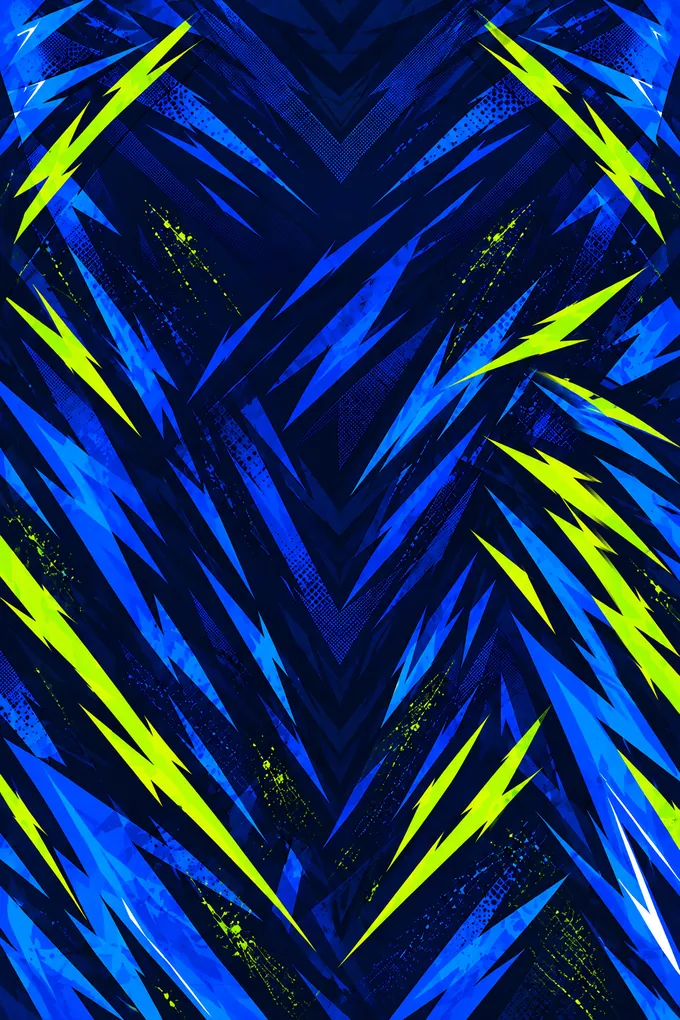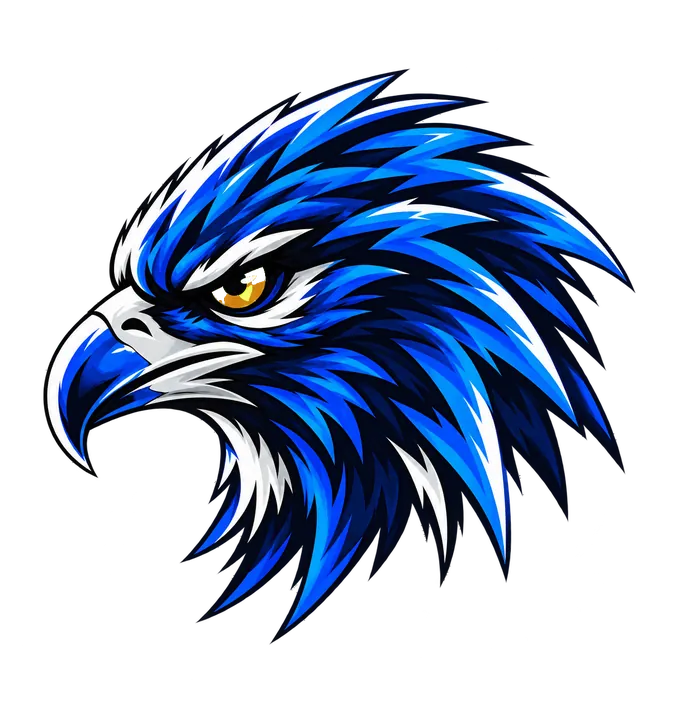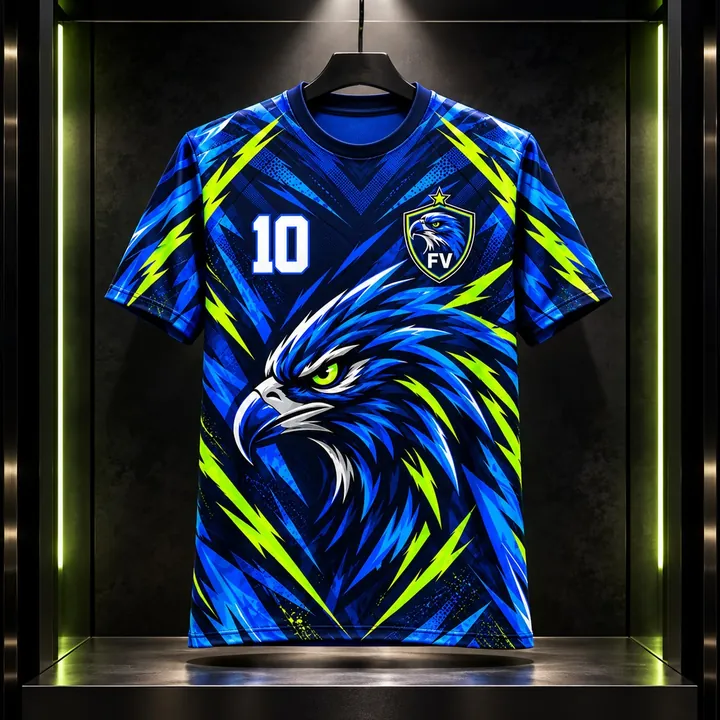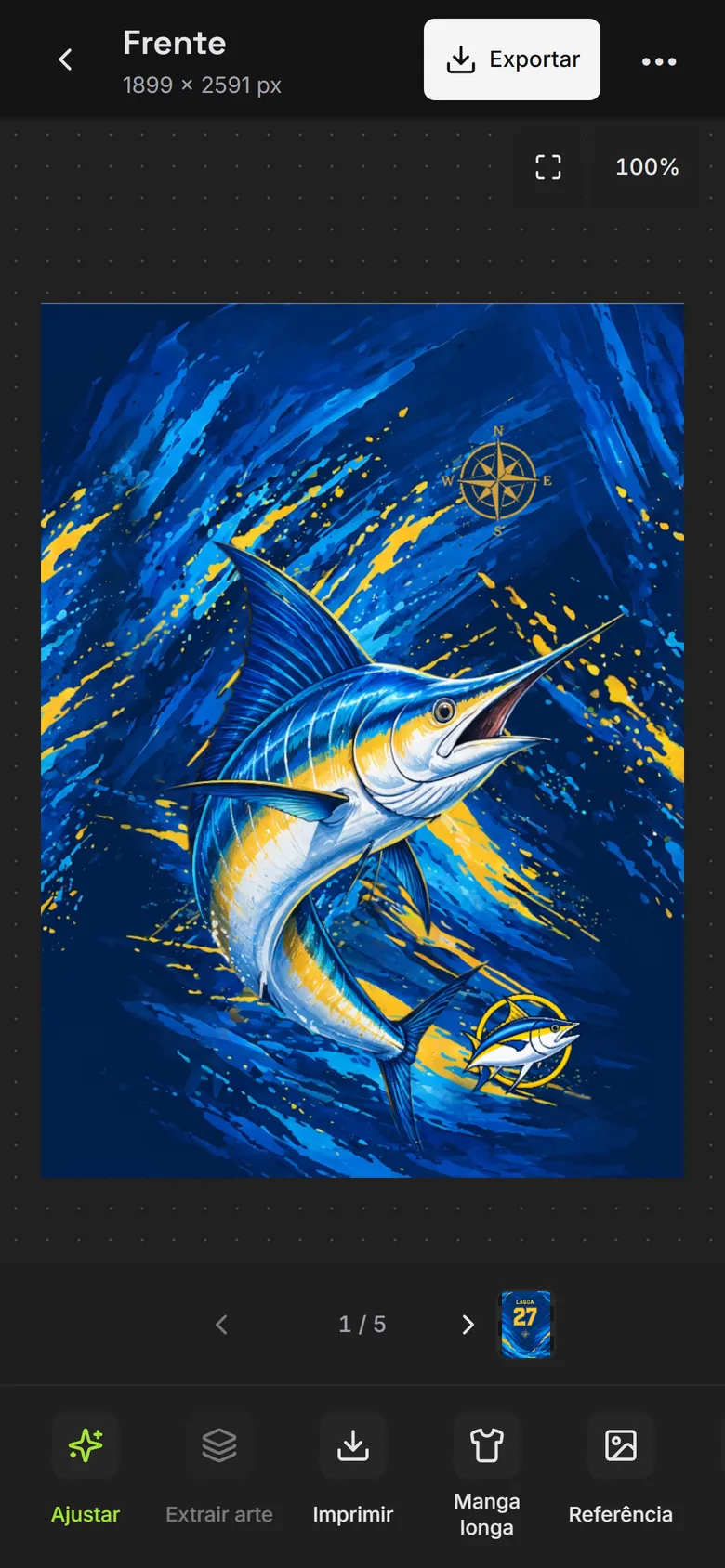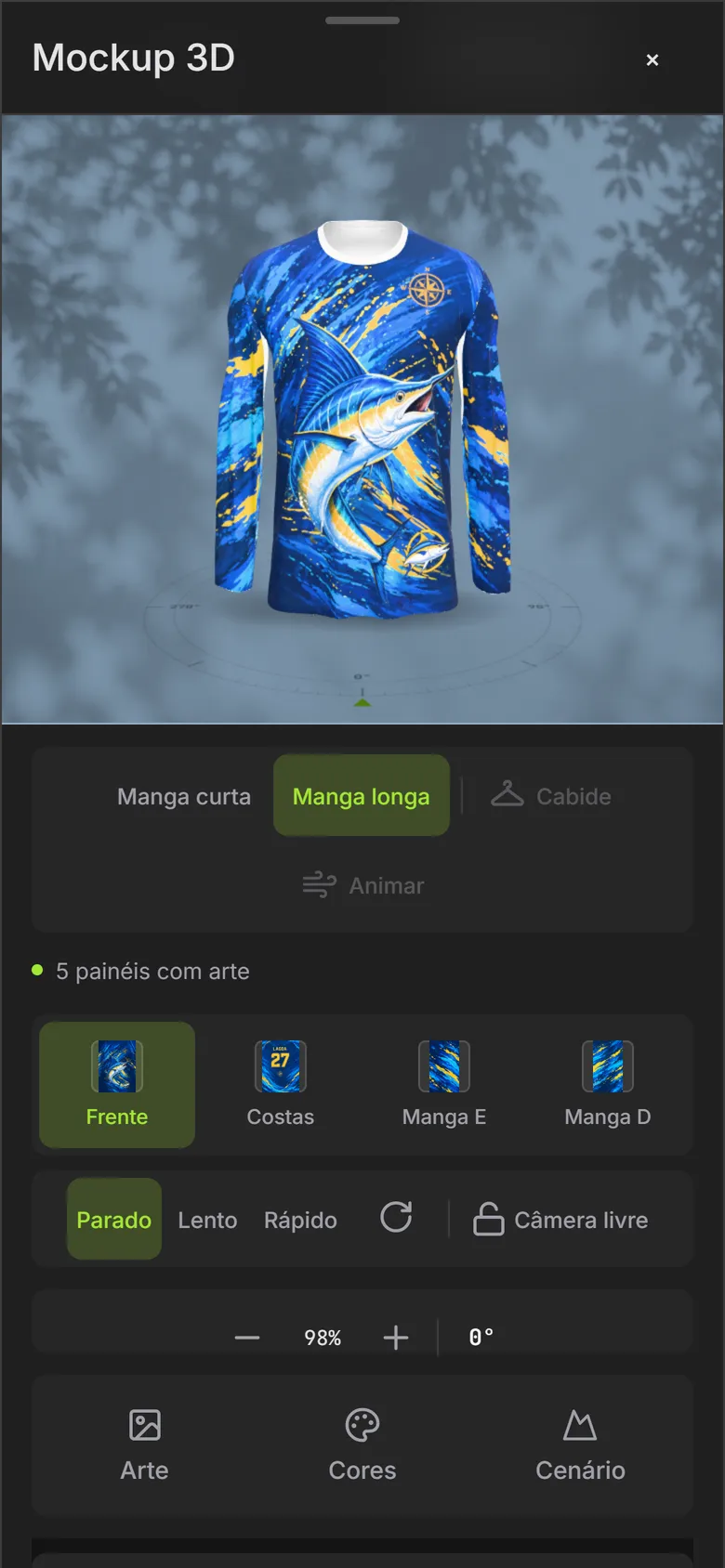
NewAssembly: the extracted art already on the pattern, with the 3D view alongside and the panels ready to print.15 free credits to try, no card.

From idea to finished t-shirt.

Create or recreate prints with AI. Remove the background, vectorize and generate mockups. All ready for your final artwork software.

  1. Create or recreate with AI
  2. Separate into layers
  3. Remove the background, upscale, vectorize
  4. Finish inCdrAiPsAffinity
Photo, screenshot or mockup of the t-shirt
15 free creditswhen you create your account · no card
Made for producers. Tap a niche to see an example:
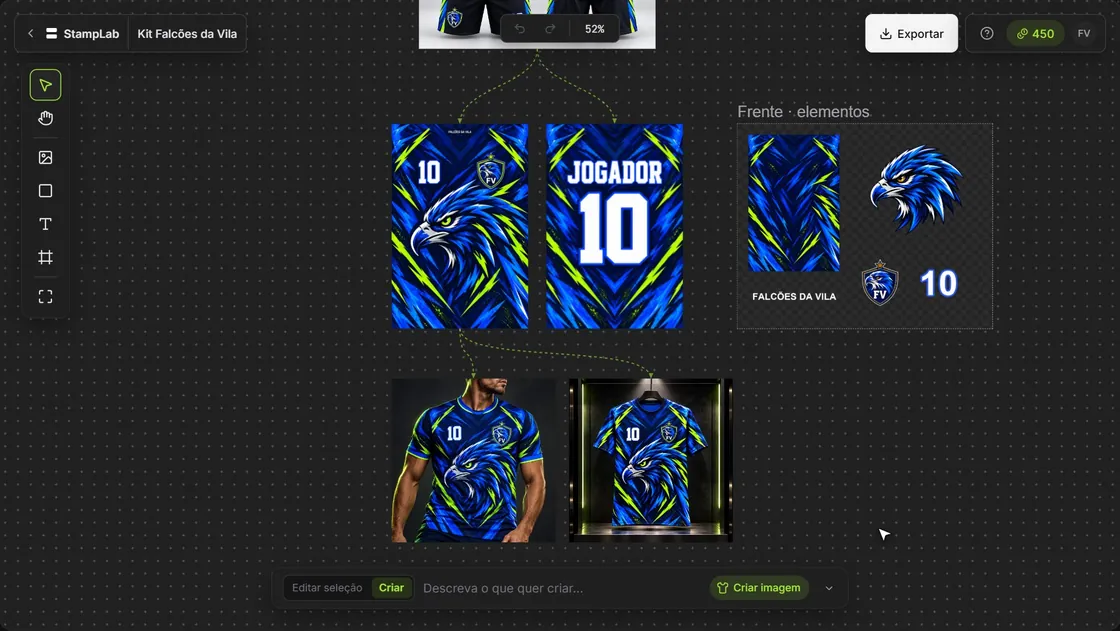
ProjectThe whole order in one place.Recreate, separate, place on the pattern, dress the mockup and export. Every version linked to the original. A StampLab project with the Falcões da Vila kit To try right now free credits, no card. Separate elements Each element on its own layer. 3D MockupSpins 360°. Who it's for Print shops, uniforms, sublimation, garment makers, final artwork and design. RecreateSeparateAssembleCreateEditVectorizeMockup AI Mockup: athlete wearing the t-shirt AI MockupThe client approves first. FilePDF, EPS, PNG and SVG for your final artwork software.
You get the image. And that's where the problem starts.

And the queue doesn't move.

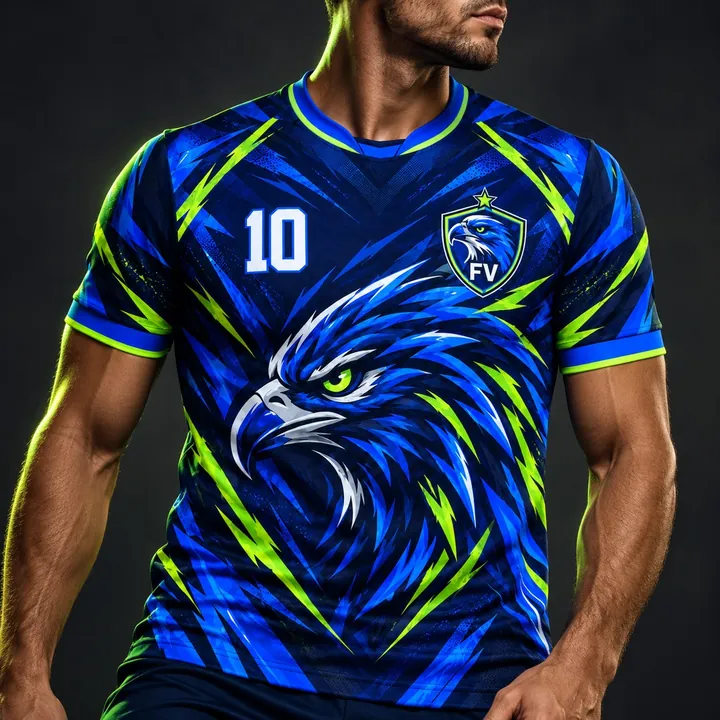
AI render of the uniform, the way the client sends it

Three ways to handle the “can you make it the same?”

No minute promises. Just what each path delivers.

Redraw by hand
  • It turns out the same if you have the time.
  • Each layer, assembled by hand.
  • Name and number, piece by piece.
Ask an AI chat
  • Each attempt brings back a different design: crooked, cropped, off.
  • You get a single image, stuck together.
  • Changing the number means generating again.
StampLab
  • Recreates from the client's image.
  • Each element on its own layer.
  • Mockup and file in the same place.

StampLab doesn't replace your eye as a final artist. It takes off your plate the part of redrawing what already exists.

What arrives

A photo. Or an AI mockup.

The client sends the finished t-shirt: a phone photo, a screenshot or an AI mockup. Beautiful — and without a single layer.

StampLab recreates

The art becomes flat again.

Front and back recreated from the image, in the panel format, in high resolution.

And separates

Each element on its own layer.

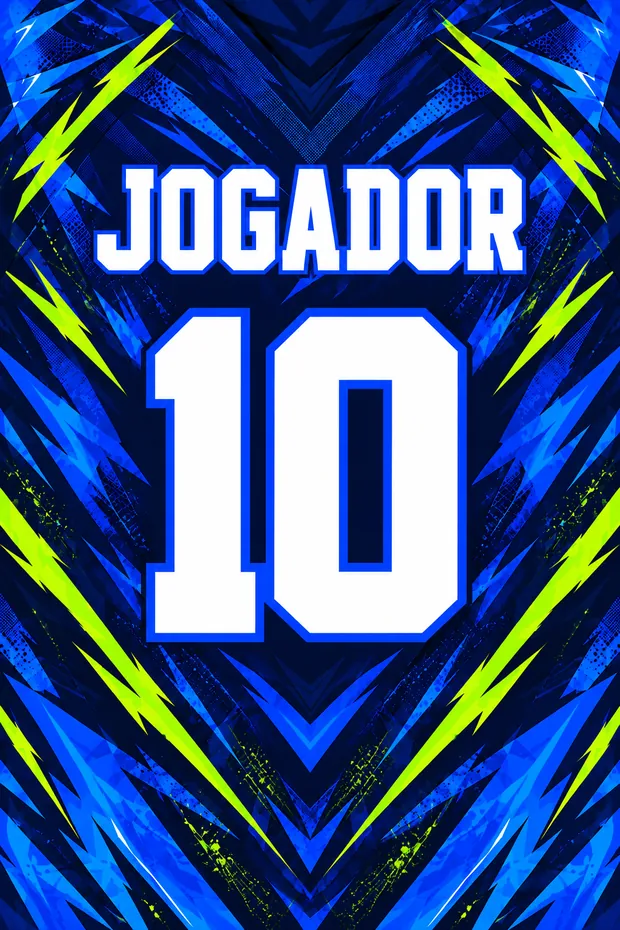
Clean background, mascot, crest, number and name separated: change the 10 for each player and export to your software.

Extraction

Each piece of the photo, separated on a single screen.

StampLab reads the front, back and sleeves, numbers every logo, text and figure on the photo and shows the background of each side. You choose what to extract and see the cost before confirming.
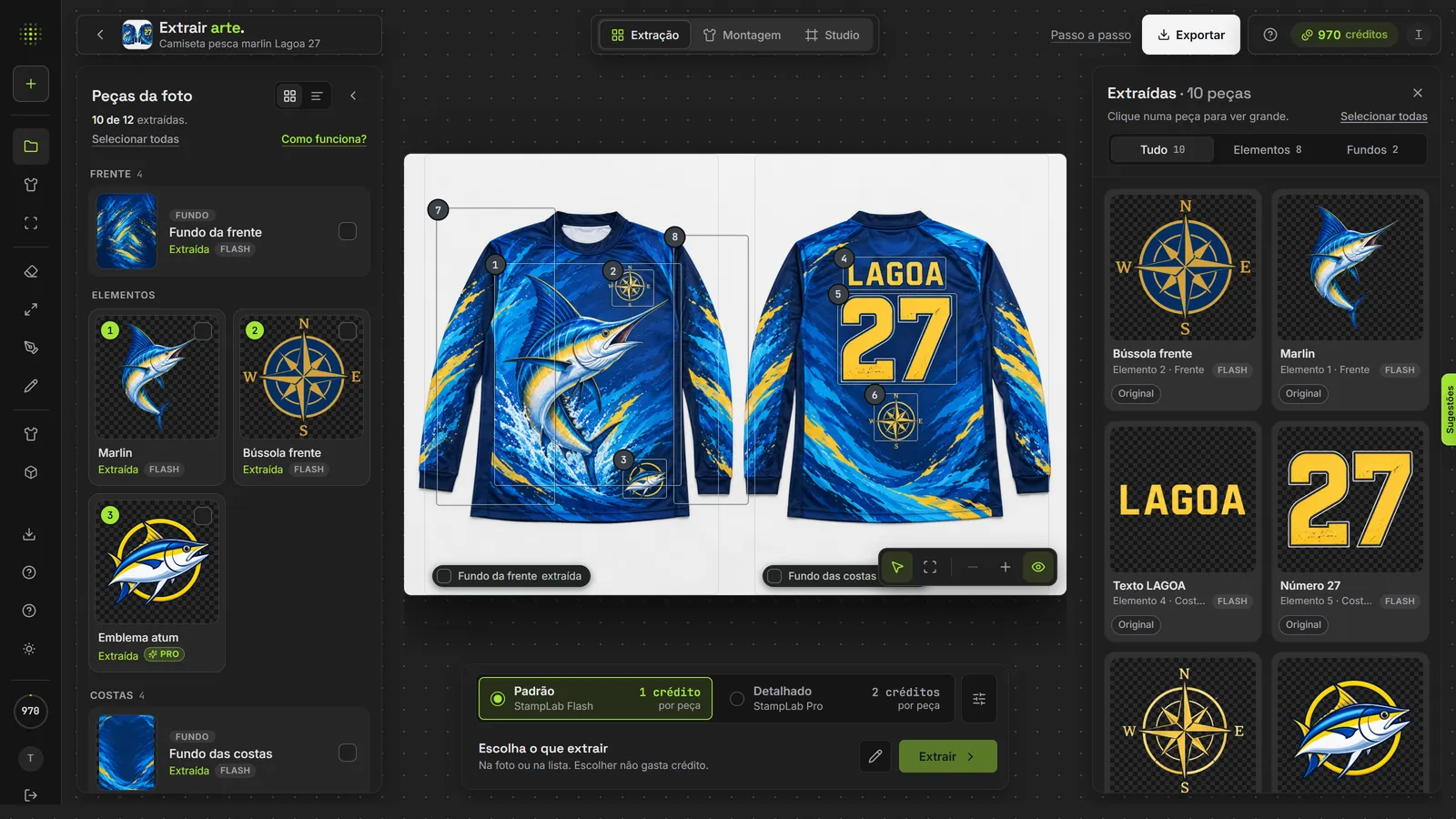
StampLab Extraction: the fishing t-shirt photo with each element numbered, the piece list on the left and the gallery of extracted pieces on the right
Marked on the photoEach element gets a number on the image and a card in the list. Choosing doesn't spend credits.
Standard or DetailedStandard handles most designs; Detailed is more faithful on thin lettering and small details.
Gallery of extracted piecesElements and backgrounds with no background, with the original alongside, ready to place on the garment or take to the project.

ExtractionAssemblyStudio

Assembly · new

The extracted art comes out already placed on the garment.

After extracting, the t-shirt appears on the pattern, part by part, with the 3D alongside. Check, adjust and download the panels to print. Assembling doesn't spend credits.
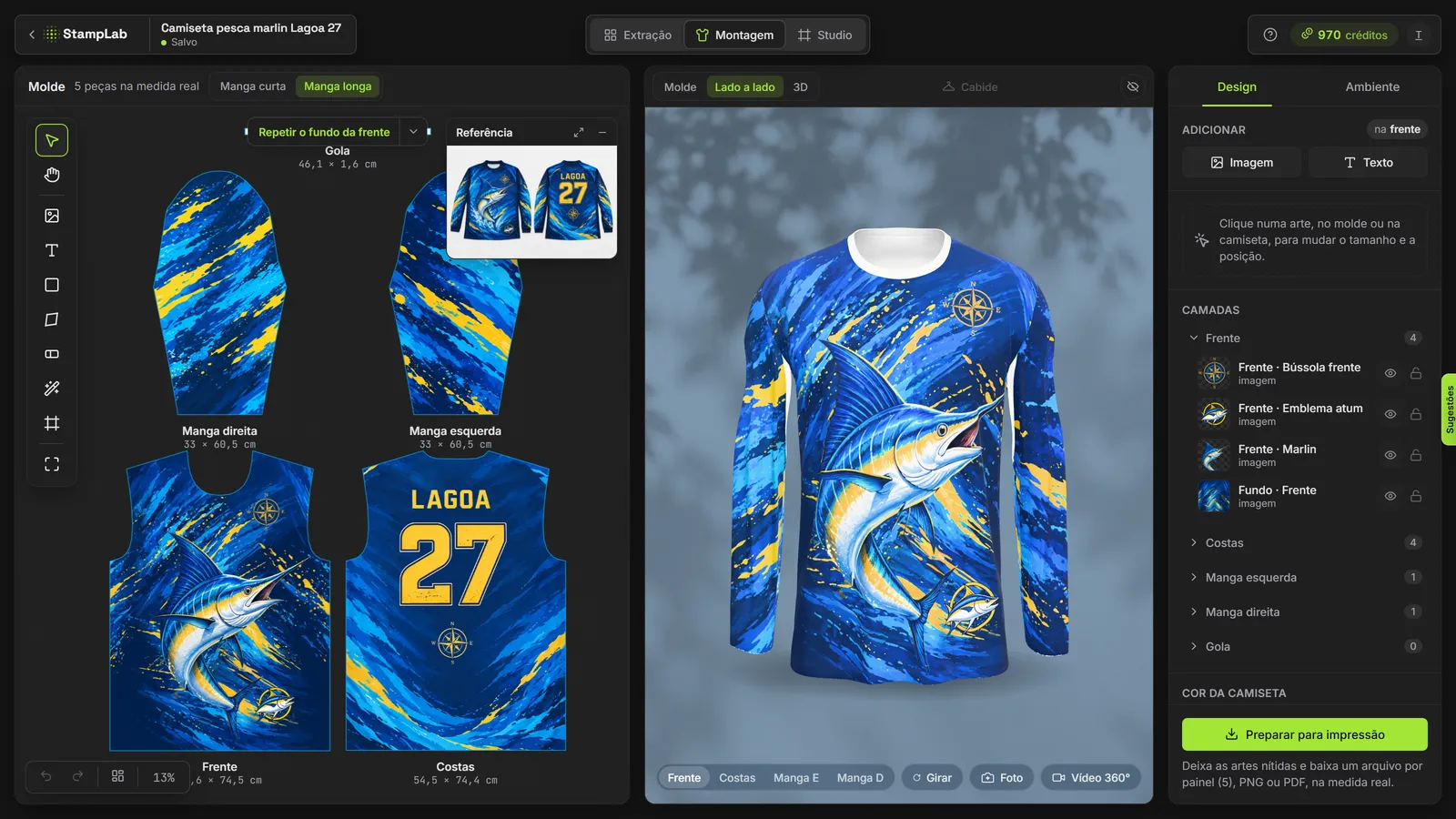
StampLab Assembly: the fishing t-shirt pattern on the left, with front, back and sleeves at real size, and the 3D t-shirt alongside
Pattern at real sizeFront, back, sleeves and collar in centimeters, with the extracted art already in place. Short or long sleeve in one click.
3D alongsideThe t-shirt wears the pattern while you adjust. Spin it, take the photo or record the 360° video.
Ready for the pressOne file per part, PNG or PDF at 300 DPI, with bleed, cut line and mirrored for sublimation and DTF.

ExtractionAssemblyStudio

3D Mockup · what's new

The client approves before you print.

The assembled piece dresses the 3D t-shirt instantly. Choose the light, background and fabric, spin it and send the photo or 360° video on WhatsApp. Without spending credits.
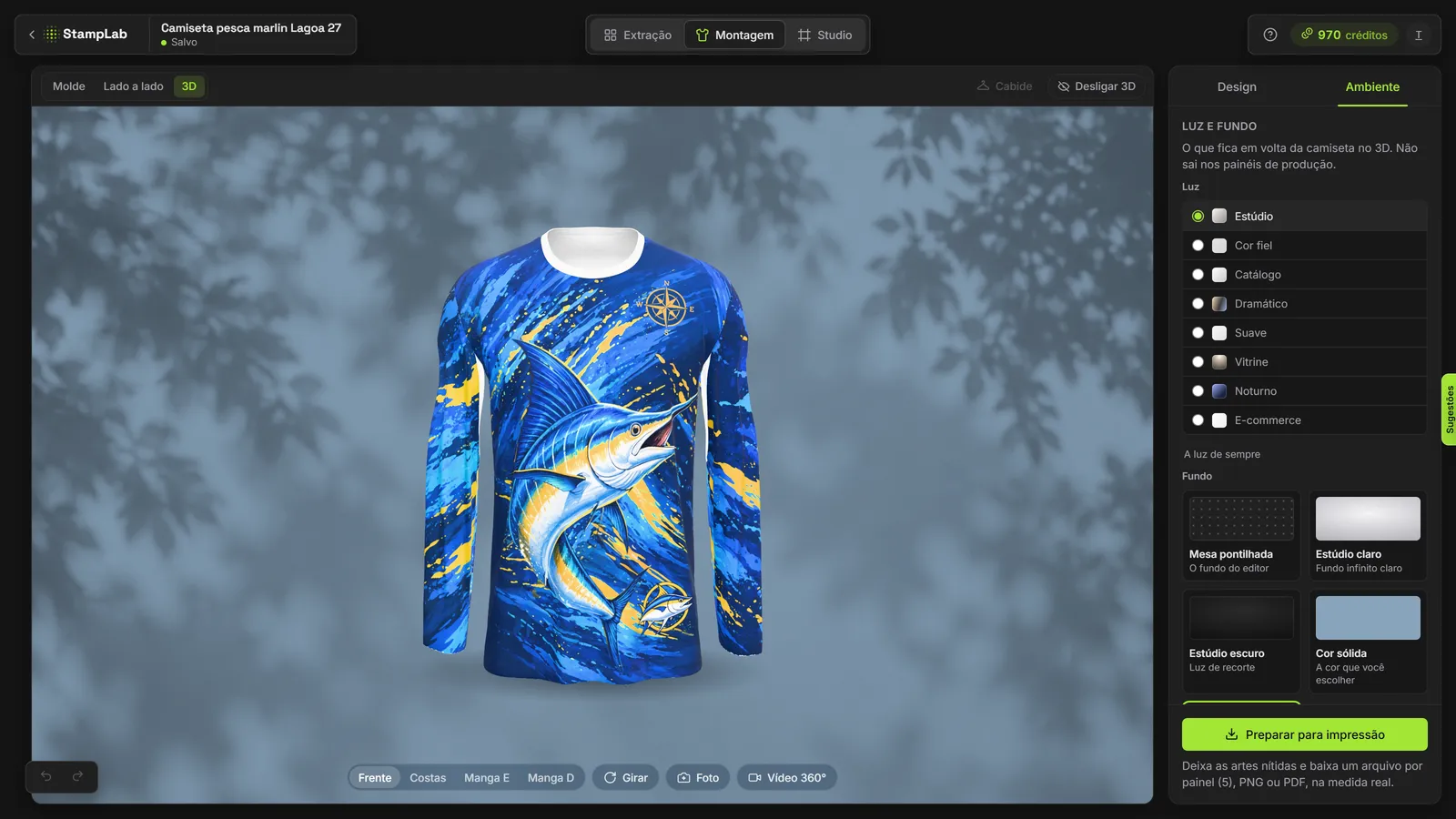
The 3D Mockup of the long-sleeve fishing t-shirt in front of a wall with leaf shadows, with the Studio, True Color, Catalog, Dramatic, Soft, Showcase, Night and E-commerce lights on the panel
8 ready-made lightsFrom True Color, to approve the file's colors, to Catalog, E-commerce, Showcase and Night.
Wall with lightWindow and swaying leaf shadows, in the t-shirt's color. There are Halloween and Christmas themes too.
Fabric and drapeDry fit, cotton, piqué, heather and mesh; short sleeve, long sleeve or the t-shirt on a hanger.
Try the 3D for freeUnlimited artwork on every plan; 360° photo and video on paid plans

It arrived like this. It came out like this.

Three orders in different styles. On the left, what the client sent; on the right, the recreated art, separated by element.
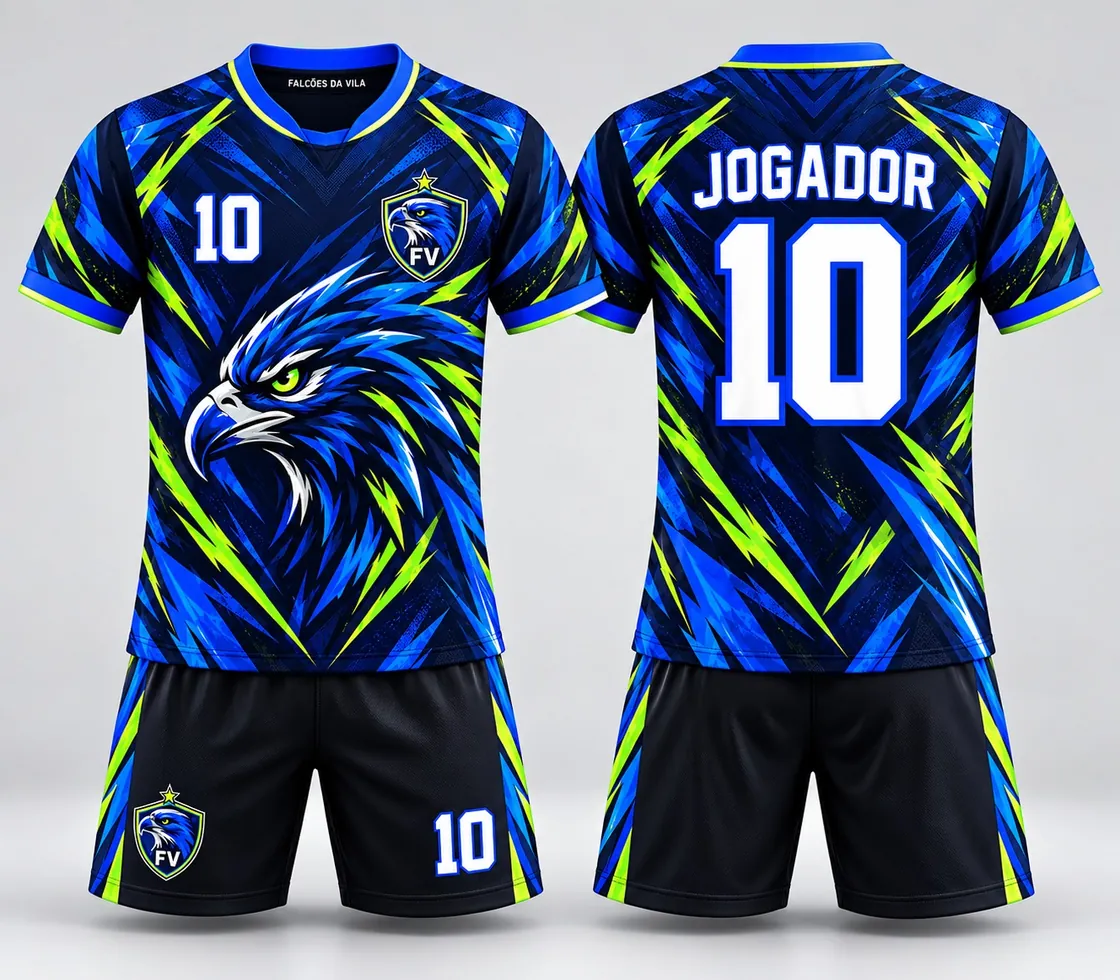
AI render of two class-tournament t-shirts, front and back
Arrived
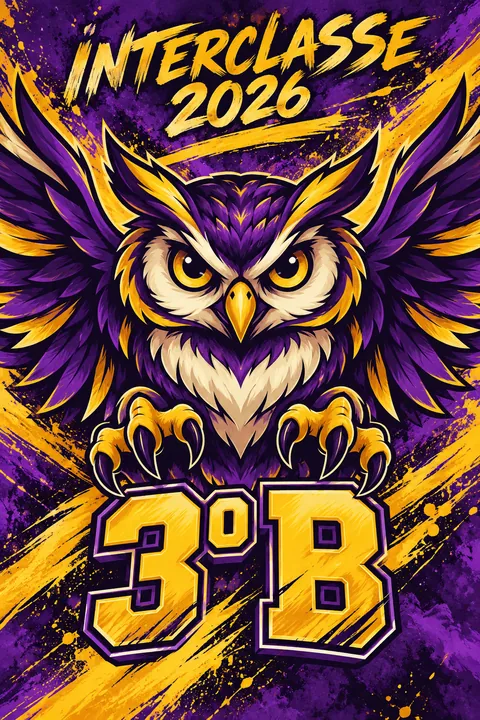
Recreated art of the class-tournament shirt, in the panel format
Came out
Class tournament 3rd BAI render with front and back in the same image. Came out in 4 layers: owl, brushstrokes, title and class.
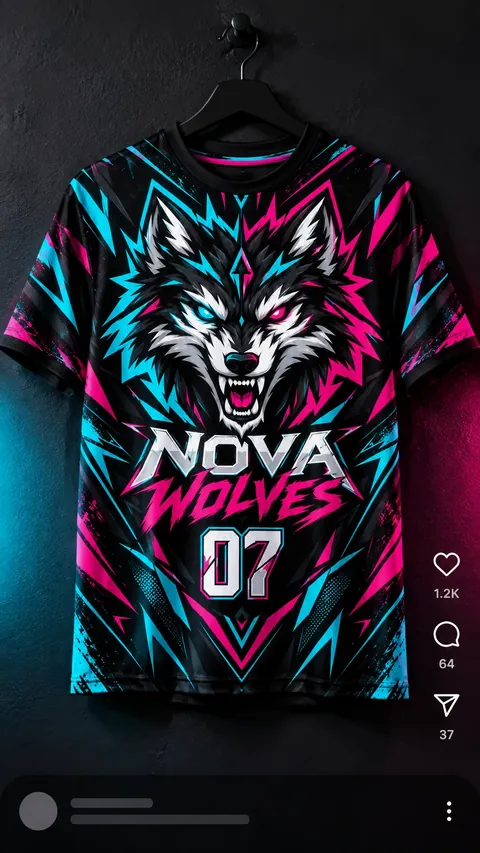
Social media screenshot with the e-sports jersey on a hanger
Arrived
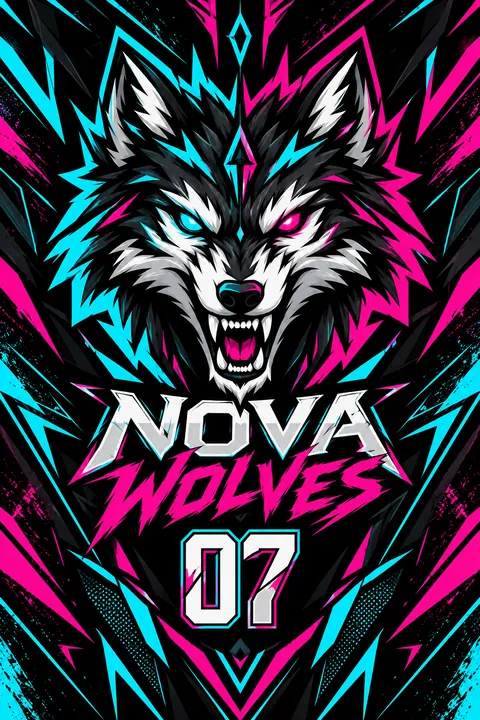
Recreated art of the e-sports jersey
Came out
E-sports Nova WolvesCompressed screenshot of a post. Came out in 4 layers: wolf, graphics, name and number.
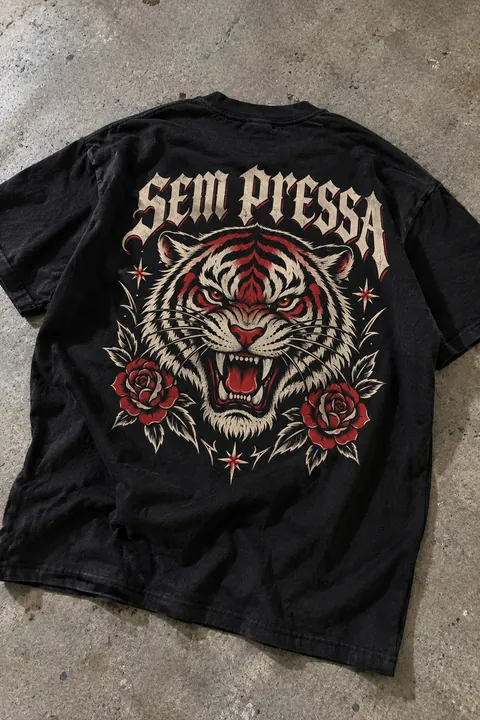
Phone photo of a black t-shirt with a tiger print on the back
Arrived
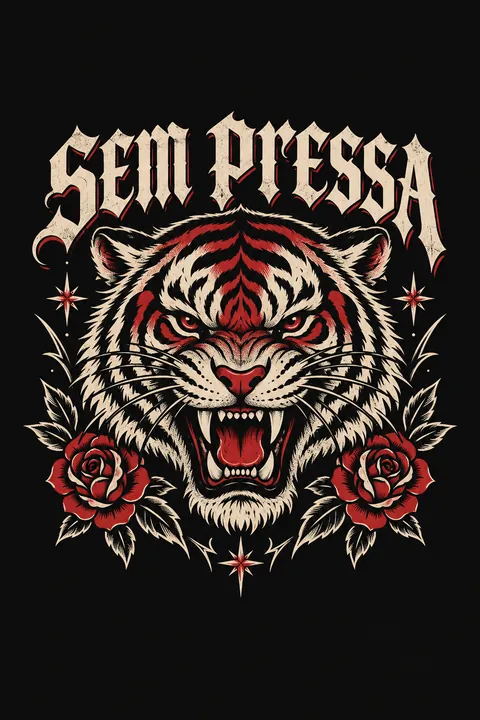
Placement print recreated, tiger with roses and lettering
Came out
Streetwear placement printPhone photo, with a fold and crooked light. Came out in 3 layers: tiger, roses and lettering.
Project · StampLab's AI studio

Project. The production studio for t-shirt makers.

The image lands in the project and everything happens there: recreate, separate, create, edit, dress the mockup and export. Every version stays linked to the original.
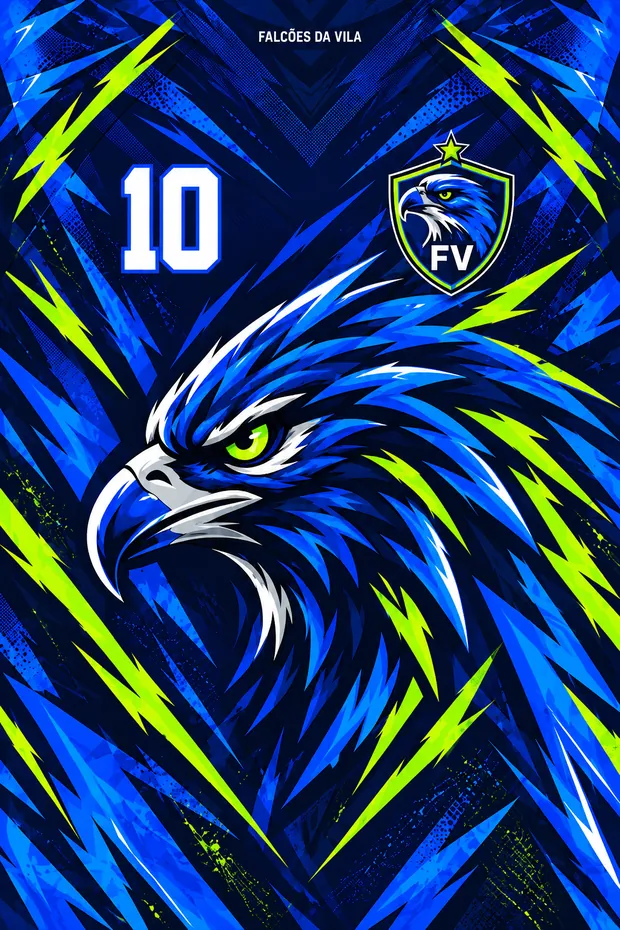
InfiniteFront, back, elements and mockups of the same order side by side, without opening a new file.
EditableLayers, text with Google Fonts, brush, magic wand and color adjustment. Quick tweaks you do here; final artwork, in your own software.
LinkedA dotted line shows where each design came from, from the client's photo to the mockup.
On the phone

The same project in your pocket.

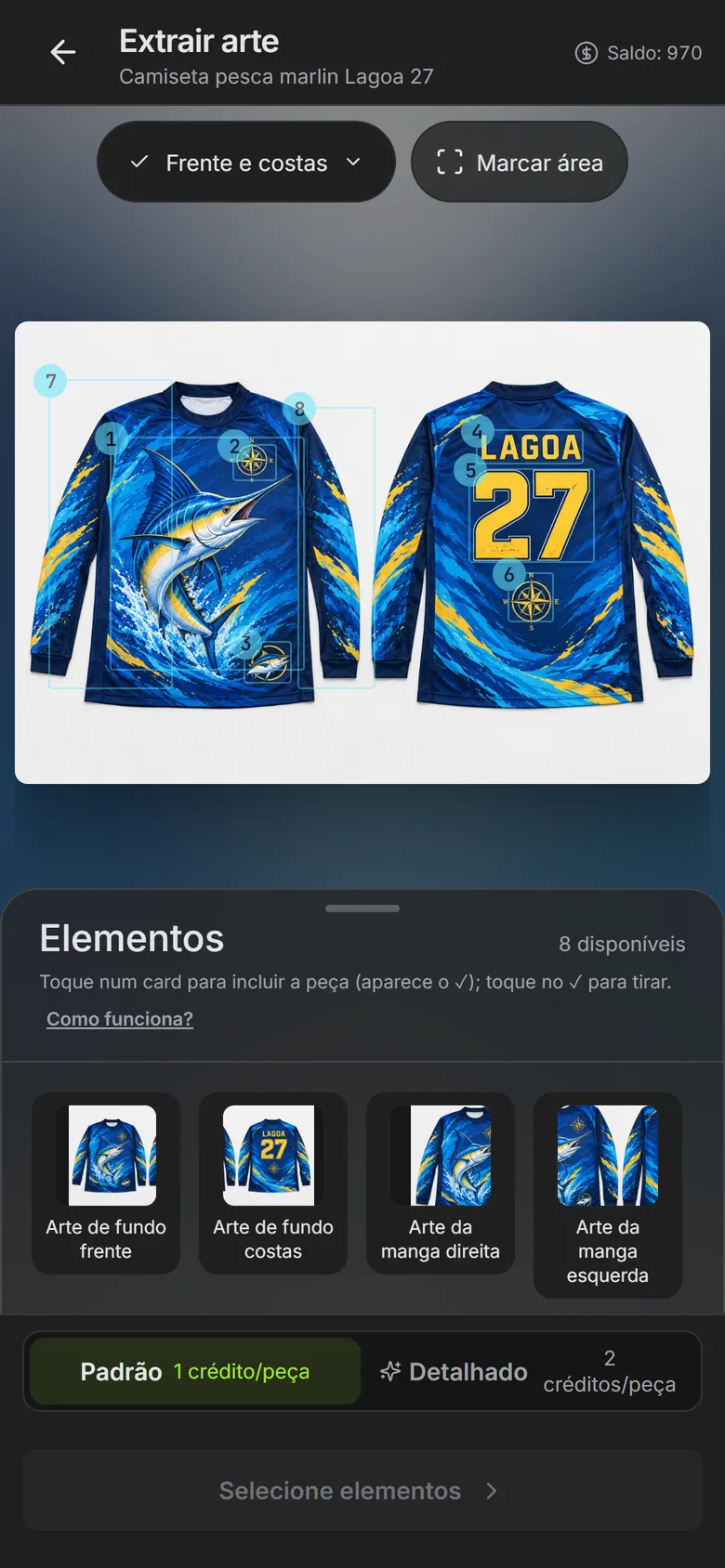
Open it in your phone's browser and pick up where you left off: extract, check the piece on the pattern and show the 3D to the client. Nothing to install, on any plan.
CorelDRAW plugin · new

StampLab inside your CorelDRAW.

Select the print in the document and extract it in a panel alongside. The finished pieces go straight into your file, no exporting and importing.
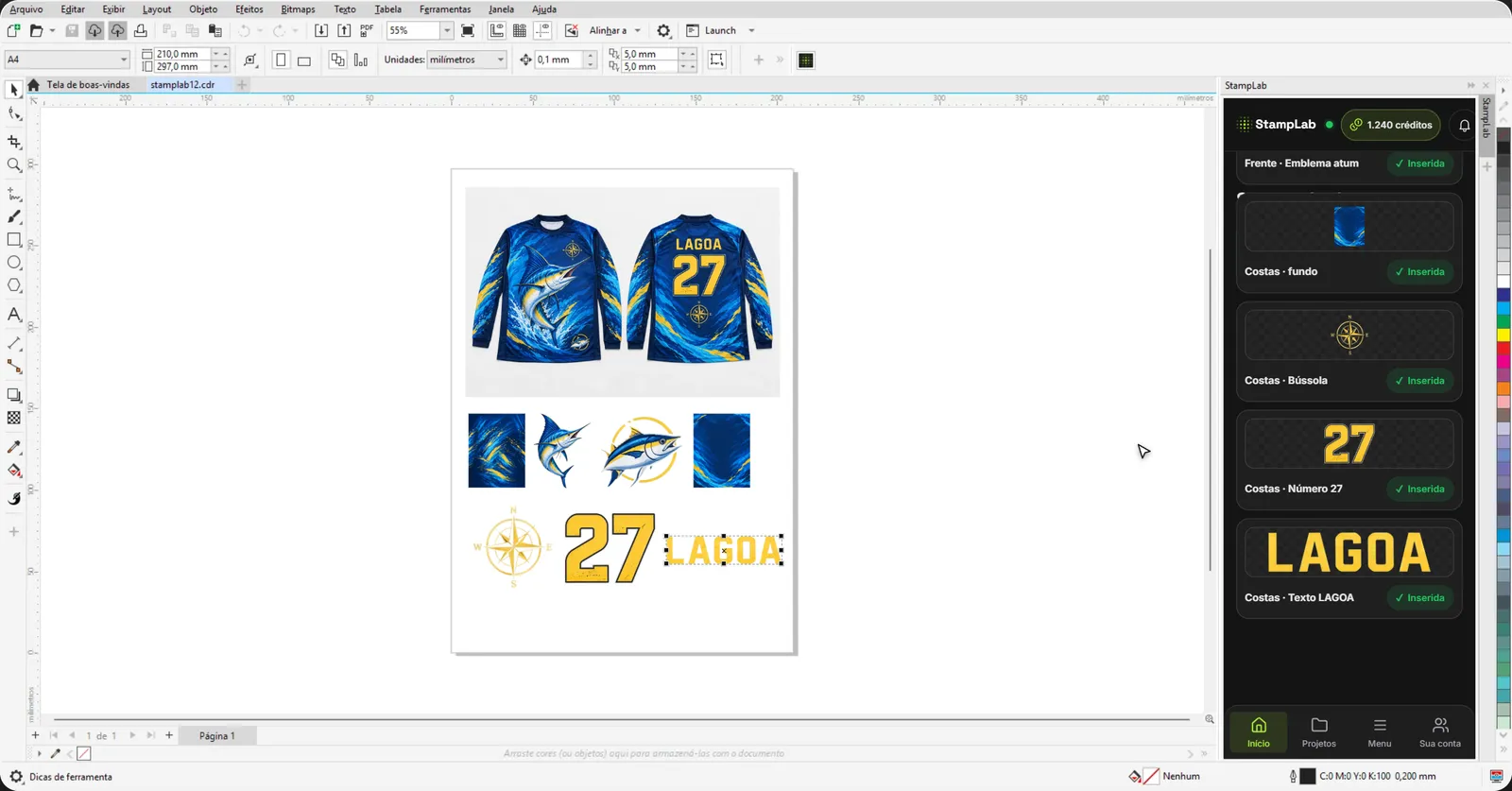
CorelDRAW with the StampLab panel docked on the right and the extracted pieces of the fishing t-shirt placed in the document
Docked panelIt lives under Window › Dockers, next to the document, with your account and your credits.
Without leaving CorelSeparate logos, drawings and texts into pieces, remove the background, upscale and vectorize. The finished art goes into the open document.
Free on every planFor Windows 10 or 11 (64-bit) and CorelDRAW 2020 to 2026. Your plan's credits and limits apply.
Discover the pluginFree on every plan

Start for free. Then you choose how to pay.

Subscribe and pay less per credit, or buy credit packs with no monthly fee. Every tool in both options.

Produce every week? Subscribing, the credit costs up to 60% less.

Trial · free15 credits, once, no card: ≈ 2 t-shirts extracted in Standard. Recreate, extract, assemble on the pattern, create, edit, remove background and 3D Mockup. 3 saved projects.
Try for free

Lab

Black November · −15%

R$ 42,40 for the 1st month

then R$ 49,90/month

200 credits per month

≈ 33 t-shirts per month

extracted in Standard, 5 pieces each · ≈ 20 in Detailed

Everything in Trial, plus:

  • Vectorize, Upscale, AI Mockup and Detailed mode
  • Unlimited 3D Mockup, with photo and 360° video
  • 50 saved projects
  • Credit packs 25% cheaper
Subscribe to Lab
Recommended

Lab Plus

Black November · −15%

R$ 84,90 for the 1st month

then R$ 99,90/month

450 credits per month

≈ 75 t-shirts per month

extracted in Standard, 5 pieces each · ≈ 45 in Detailed

Everything in Lab, with:

  • More than double the credits
  • 200 saved projects
Subscribe to Lab Plus

Lab Pro

Black November · −15%

R$ 152,10 for the 1st month

then R$ 179/month

850 credits per month

≈ 141 t-shirts per month

extracted in Standard, 5 pieces each · ≈ 85 in Detailed

Everything in Lab Plus, plus:

  • Priority queue
  • Early access to tools
  • 1.000 saved projects
Subscribe to Lab Pro
Higher volume

Lab Max

Black November · −15%

R$ 296,60 for the 1st month

then R$ 349/month

1.800 credits per month

≈ 300 t-shirts per month

extracted in Standard, 5 pieces each · ≈ 180 in Detailed

Everything in Lab Pro, plus:

  • WhatsApp support
  • Unlimited projects
Subscribe to Lab Max

How we count a t-shirt: 5 extracted pieces (logos, texts, figures, sleeves or backgrounds); the customer average is 4. In Standard that's 6 credits, already including the pass that removes the elements' background; in Detailed, 10 credits. Designs with more pieces yield fewer t-shirts: do the math for yours.

The deal is simple.

Need more than 1.800 credits or for a team? Talk to us about a custom plan. Compare the plans and see the cost of each tool

Questions for producers.

Does it come out the same as the original?

StampLab recreates from the image itself, piece by piece — it doesn't invent a different design that looks similar. It almost always comes out ready to tweak, not to start from scratch; whatever comes out different you fix by text or in the project. The sharper the image, the more faithful the result.

Does it work with AI mockups, Instagram screenshots and phone photos?

Yes. Render, screenshot or photo: the art is recreated from what arrived, in the panel format, even if the photo is crooked or has a fold.

Does it open in CorelDRAW, Illustrator and Photoshop?

You export as PDF or EPS, which open in CorelDRAW, Illustrator, Photoshop and Affinity for you to finish. The recreated art goes as a high-resolution image; if you need curves, run the element through Vectorize first. And the CorelDRAW plugin, free on every plan, brings the pieces straight into the open document.

Can I recreate my client's art?

You decide what to recreate. Use it with designs your client has the right to use, or that you are authorized to reproduce: third-party crests, brands or characters still belong to third parties. When in doubt, ask your client for written authorization. This is not legal advice.

Didn't find yours? See the help center

Got a new image? Send it to StampLab.

It comes back in layers, with a mockup for the client and a file for your final artwork software. 15 free credits, no card.

Create my free account